
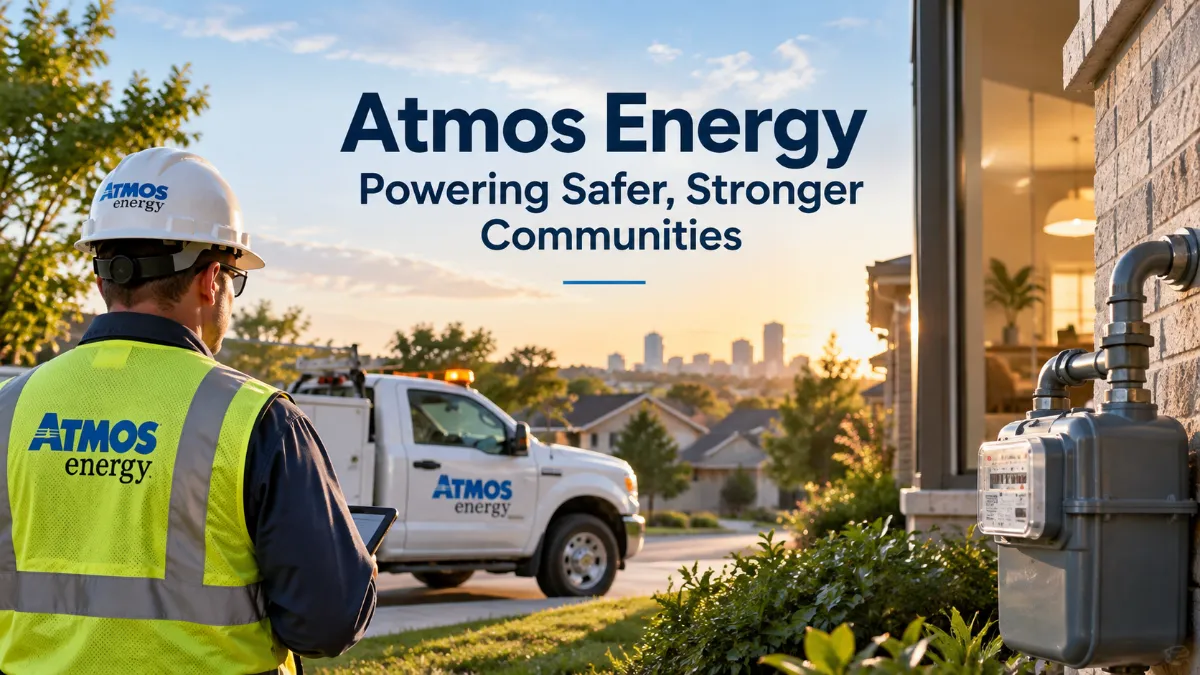
Atmos Energy is one of the largest regulated natural gas utilities in the United States, serving residential, commercial, public-authority, and industrial customers across parts of eight states. Customers can use its services to manage online accounts, pay natural gas bills, start or stop service, review usage, update payment preferences, and contact customer support.
Headquartered in Dallas, Texas, the company reports serving more than 3.4 million distribution customers and operating more than 80,000 miles of distribution and transmission pipelines.
This comprehensive guide explains how the utility works, where it provides service, how to use the Account Center, available payment methods, service requests, billing information, and essential natural gas emergency procedures.
What Is Atmos Energy?
The company is a regulated natural gas utility whose history dates back to 1906 in the Texas Panhandle.
Over the years, the business expanded through mergers, acquisitions, and corporate changes before adopting its current name in 1988.
Today, its primary operations include:
- Natural gas distribution
- Pipeline operations
- Natural gas storage
- Infrastructure modernization
- Safety
- Customer service
- System reliability
Customers use natural gas supplied through the company’s distribution systems for several purposes, including home heating, water heating, cooking, clothes drying, commercial operations, and industrial processes.
The utility does not provide service everywhere in the United States. Availability depends on whether a particular address falls within one of its regulated service territories.
Company Quick Facts
| Feature | Information |
|---|---|
| Company | Atmos Energy Corporation |
| Industry | Natural Gas Utility |
| Headquarters | Dallas, Texas |
| Distribution Customers | More than 3.4 million |
| Pipeline Network | More than 80,000 miles |
| Communities Served | More than 1,400 |
| States Served | 8 |
| NYSE Symbol | ATO |
| Customer Service | 888-286-6700 |
| Gas Emergency | 866-322-8667 and 911 |
Read more: Atmos Energy
Where Does the Company Provide Natural Gas Service?
The utility operates regulated natural gas businesses across eight states:
- Colorado
- Kansas
- Kentucky
- Louisiana
- Mississippi
- Tennessee
- Texas
- Virginia
The company reports serving more than 1,400 communities across these service areas.
However, not every address within these states is covered. Utility territories can vary by city, county, neighborhood, and community.
Before requesting natural gas service at a new home or business, verify that the property is located within an eligible service area.
Natural Gas Operations in Texas
Texas represents an important part of the company’s operations.
The utility operates Mid-Tex and West Texas distribution divisions and maintains significant pipeline and storage operations through Atmos Pipeline-Texas.
The Mid-Tex territory includes the Dallas-Fort Worth area, while the West Texas division serves communities in other parts of the state.
Customers looking for specific rates, tariffs, programs, or service rules should check the information applicable to their individual service area.
How to Use the Online Account Center
The Account Center is the company’s online platform for managing customer accounts.
It allows eligible customers to handle several routine account tasks online instead of contacting customer service for every request.
Available features may include:
- Paying natural gas bills
- Viewing previous statements
- Reviewing natural gas usage
- Managing account information
- Enrolling in E-Bill
- Managing payment methods
- Setting up automatic payments
- Accessing other account features
The platform can be especially useful for customers who want one place to review billing information and natural gas consumption.
How to Log In
Visit the official Atmos Energy website and open the Account Center.
Existing customers can enter their username and password.
If you do not have an online account, you can register using the required account and customer information.
Username and password recovery options are also available for registered users.
Always confirm that you are using the official website before entering personal, account, banking, or payment information.
How to Pay Your Natural Gas Bill
The company provides several bill-payment methods.
The most suitable option depends on whether you prefer online payments, one-time transactions, automatic payments, telephone payments, mail, or an authorized payment location.
1. Pay Through the Account Center
Registered customers can sign in and make eligible payments online.
An online account can also provide access to statements, billing history, payment information, and usage details.
This makes the platform a convenient option for customers who regularly manage their utility bills online.
2. Make a One-Time Payment
The utility provides a one-time payment option for customers who want to pay without signing in.
You generally need:
- Your utility account number
- An eligible payment method
- Required billing information
The official Account Center includes a Make a Payment Without a Login option.
Payment methods and requirements can change, so check the payment page before submitting your transaction.
3. Set Up Automatic Payments
Customers who prefer not to manually pay each month can consider the company’s Automatic Payment Plan.
With automatic payment enabled, an eligible bill can be paid using the payment method associated with the account.
Automatic payments may reduce the risk of missing a due date.
However, you should still check each monthly statement for:
- Amount due
- Natural gas usage
- Account balance
- Charges
- Payment status
4. Pay Your Bill by Phone
An automated telephone payment option is available.
The published number is:
888-286-6700
According to the company, customers can use a check or credit card through its automated phone system.
Have your account and payment information available before calling.
5. Pay Your Bill by Mail
Customers can also pay by check or money order through the mail.
The published remittance address is:
PO Box 740353
Cincinnati, OH 45274-0353
The utility advises customers not to send cash.
Mailed payments may take approximately 7 to 10 days to arrive and be recorded.
If your due date is approaching, consider using a faster authorized payment method.
6. Pay at an Authorized Payment Center
The company also provides access to independently operated payment centers.
It reports having more than 2,000 payment centers across its service areas.
Some locations may charge a fee for processing a payment.
Customers should use the official payment-center search to find an authorized location.
How to Start Natural Gas Service
If you are moving into a home or business within an eligible service area, you may be able to request natural gas service online.
The start-service process generally requires information about both the customer and the property.
Information You May Need
Be prepared to provide information such as:
- Personal information
- Mailing address
- Service address
- Account information
- Requested service date
- Other verification details
The exact requirements may depend on the property, account type, local service rules, and current service status.
Start Service Before Moving In
Do not assume natural gas service will automatically be active when you move into a new property.
Submit your service request ahead of your move whenever possible.
Available activation dates can depend on local conditions, property requirements, existing service, and scheduling availability.
How to Stop or Transfer Your Service
Customers moving away from a property should update their utility accounts.
Depending on your circumstances, you may need to stop service at your current address and separately request service at your new address.
Before Ending Service
Before moving, consider these steps:
- Confirm your current service address.
- Choose the appropriate stop date.
- Review outstanding balances.
- Update your mailing address if necessary.
- Keep your final bill for your records.
- Arrange service at your new address if applicable.
If you are uncertain about the correct process, use the official service tools or contact customer support.
Understanding Your Monthly Natural Gas Bill
Natural gas bills can change considerably throughout the year.
Usage often increases during colder months, particularly in homes where natural gas is used for space heating.
Your monthly statement may contain several types of charges depending on your service territory, usage, tariff, and account type.
Natural Gas Usage
Your bill records the amount of natural gas used during the billing period.
Customers who use natural gas for heating may notice substantially higher consumption during cold weather.
Compare current usage with previous months and similar periods from earlier years to better understand seasonal patterns.
Gas Charges
A portion of your bill may reflect the cost of natural gas supplied to customers.
How these charges are calculated can vary by location and applicable rate structure.
Delivery and Service Charges
Bills may also include charges associated with delivering natural gas and maintaining the infrastructure required to provide service.
Taxes and Other Approved Charges
Depending on your location, your bill may include:
- Taxes
- Fees
- Riders
- Regulated charges
- Other approved costs
Because the utility operates in multiple jurisdictions, rates and charges are not necessarily identical for every customer.
Why Did Your Natural Gas Bill Increase?
A higher bill does not automatically mean there is a problem with your account.
Several factors can affect your monthly natural gas costs.
Cold Weather
Home heating can account for a significant portion of natural gas consumption during winter.
When temperatures fall, a furnace may run more frequently and consume more natural gas.
Increased Household Usage
Changes in household routines may increase consumption.
Examples include:
- More occupants
- Longer showers
- More hot-water usage
- Additional cooking
- Higher thermostat settings
Changes in Natural Gas Costs or Rates
Natural gas costs and regulated utility rates can change over time.
Compare your current bill with previous statements to see whether usage, rates, or both have changed.
Longer Billing Period
A statement covering more billing days can show higher total consumption even when average daily usage changes only slightly.
Always compare the number of billing days when reviewing two statements.
Home Energy Efficiency
Poor insulation, air leaks, older heating equipment, or inefficient appliances may increase natural gas consumption.
If a bill appears unusually high and you cannot determine the reason, review previous usage and contact customer support for account-specific information.
Customer Service and Support
The company provides customer support for billing, payments, accounts, and service-related questions.
Customer-service number: 888-286-6700
Customer-service hours: Monday through Friday, 7 a.m. to 6 p.m. Central Time.
Customers with speech or hearing disabilities can use 711 Telecommunications Relay Services.
Routine customer-service channels should never replace emergency procedures when a natural gas leak is suspected.
Essential Natural Gas Safety Information
Natural gas safety is one of the most important responsibilities for anyone living or working in a property supplied with natural gas.
Customers should know how to recognize a possible leak and how to react safely.
What Should You Do If You Smell Natural Gas?
Natural gas is odorized so leaks can be easier to detect.
The warning odor is commonly described as similar to rotten eggs.
If you suspect a natural gas leak:
- Leave the area immediately.
- Move to a safe location.
- Avoid anything that could create a spark or ignition source.
- From a safe distance, call 911.
- Contact the utility’s 24-hour emergency number at 866-322-8667.
Do not attempt to report a suspected natural gas emergency through email, social media, or a routine online customer-service form.
7 Best Tips for Managing Your Utility Account
These seven practices can make managing your account easier and safer.
1. Create an Account Center Login
Register for the Account Center so you can access eligible billing, payment, and account-management features online.
2. Review Your Bill Every Month
Even when you use automatic payments, check your statement for unusual charges, usage changes, and payment status.
3. Monitor Natural Gas Usage
Regularly reviewing usage can help you identify seasonal patterns and unexpected increases.
4. Use Only Authorized Payment Channels
Use the official Account Center, telephone system, mail address, or authorized payment locations.
This can reduce the risk of utility-payment scams.
5. Arrange Service Before Moving
Request new service before your move whenever possible to reduce the chance of activation delays.
6. Compare Billing Periods Carefully
When a bill increases, compare usage, rates, weather conditions, and the number of billing days instead of looking only at the total amount.
7. Save the Emergency Number
Keep the emergency number readily available:
866-322-8667
If you suspect a natural gas leak, leave the area immediately and call 911 and the utility from a safe location.
Understanding Distribution and Pipeline Operations
Atmos Energy and Atmos Pipeline-Texas are related but refer to different parts of the company’s operations.
The distribution businesses deliver natural gas to customers across their service territories.
Atmos Pipeline-Texas (APT) is associated with transmission pipeline and storage operations in Texas.
For most residential customers, the Account Center and general customer-service resources are the relevant tools for managing billing and service.
Atmos Energy FAQ
What Is Atmos Energy?
Atmos Energy Corporation is a regulated natural gas utility headquartered in Dallas, Texas. It provides natural gas distribution services to residential, commercial, public-authority, and industrial customers across parts of eight U.S. states.
How Many Customers Does Atmos Energy Serve?
Atmos Energy reports serving more than 3.4 million distribution customers.
What States Does Atmos Energy Serve?
Atmos Energy operates regulated natural gas utilities in Colorado, Kansas, Kentucky, Louisiana, Mississippi, Tennessee, Texas, and Virginia.
Availability varies within each state.
How Do I Log In to My Atmos Energy Account?
Visit the official Atmos Energy website and open the Account Center.
Registered customers can enter their username and password, while new users can register for an online account.
Can I Pay My Atmos Energy Bill Without Logging In?
Yes. The Atmos Energy Account Center provides a one-time payment option that allows eligible customers to make a payment without logging in.
What Is the Atmos Energy Customer Service Number?
The published Atmos Energy customer-service number is 888-286-6700.
Customer-service hours are Monday through Friday from 7 a.m. to 6 p.m. Central Time.
How Do I Start Atmos Energy Service?
Eligible customers can request service through Atmos Energy’s service options.
You may need personal information, a mailing address, a service address, and a requested activation date.
Can I Set Up Automatic Payments With Atmos Energy?
Eligible customers can enroll in an Automatic Payment Plan.
Continue checking monthly statements even when automatic payments are enabled.
What Should I Do If I Smell Natural Gas?
Leave the area immediately and move to a safe location.
Avoid possible ignition sources.
From a safe location, call 911 and Atmos Energy’s 24-hour emergency line at 866-322-8667.
Why Is My Atmos Energy Bill Higher Than Usual?
Possible reasons include colder weather, increased household usage, a longer billing period, changes in natural gas costs or approved rates, and home-energy efficiency issues.
Compare the current bill with earlier statements to determine what changed.